> ## Documentation Index
> Fetch the complete documentation index at: https://docs.torch.security/llms.txt
> Use this file to discover all available pages before exploring further.
# Reviewing Access Requests
> How managers and app owners review and act on access requests in Torch.
## Find your access request tasks
When someone requests access to an application that requires your approval, you'll receive an email notification.
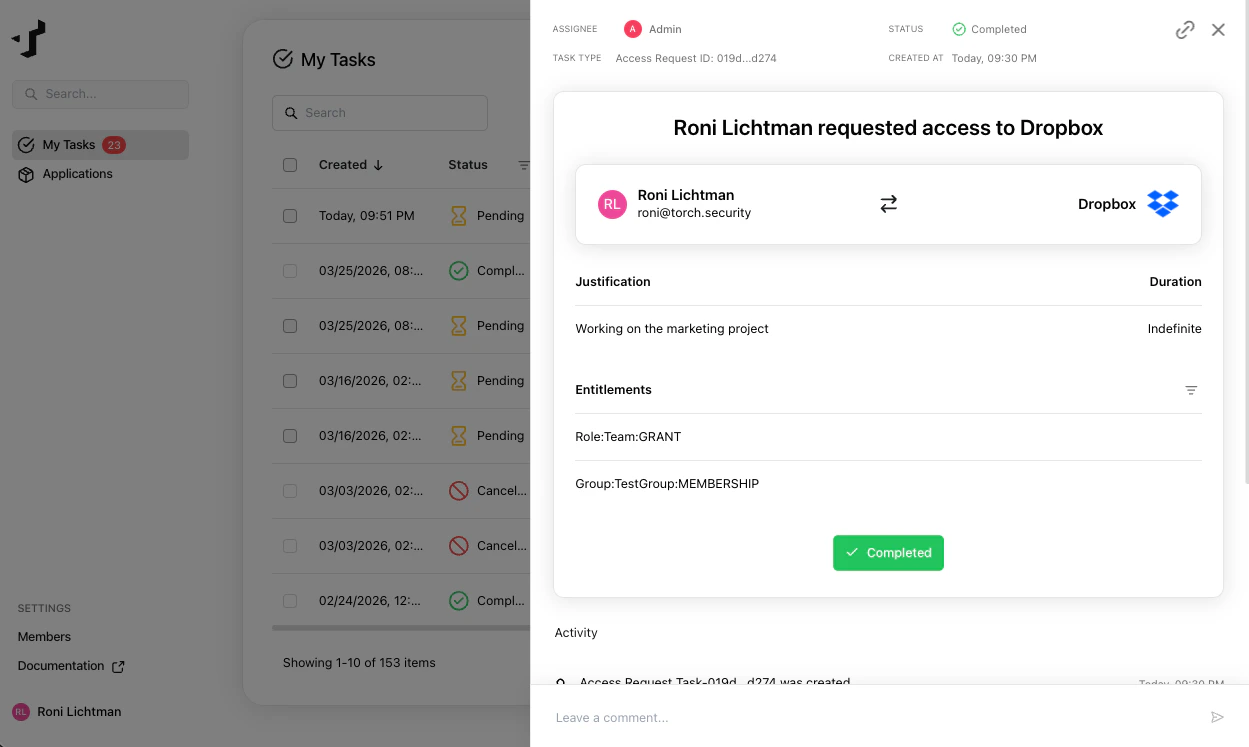
 You can also find pending requests in the **Tasks** page under **My Tasks**.
 ## Review the request
Open the task to see the details:
* **Application** - the application the requester wants access to
* **Entitlements** - the specific permissions being requested
* **Justification** - the requester's explanation for why they need this access
## Review the request
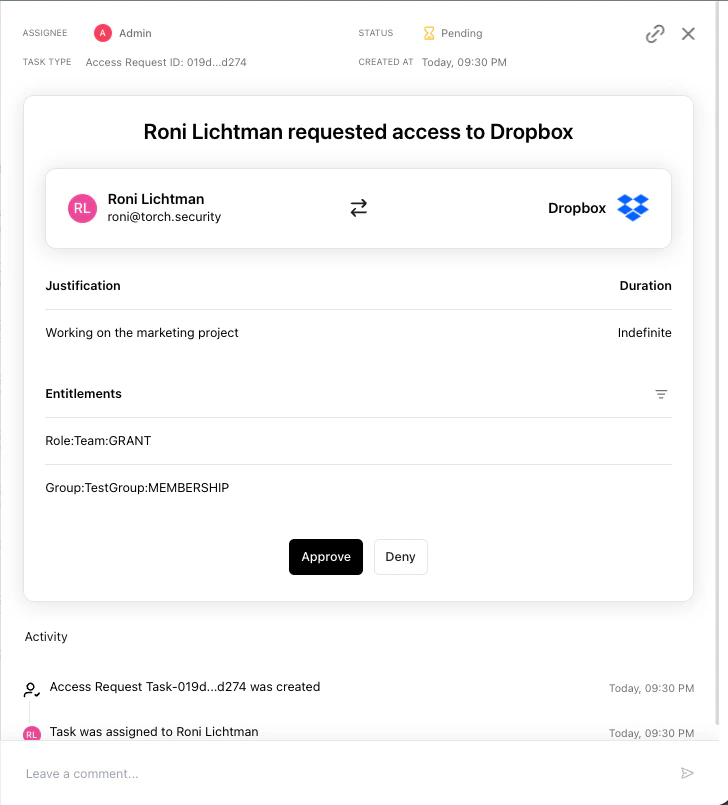
Open the task to see the details:
* **Application** - the application the requester wants access to
* **Entitlements** - the specific permissions being requested
* **Justification** - the requester's explanation for why they need this access
 ## Ask questions
If you need more context before making a decision, use the comment thread on the task to discuss with the requester.
## Approve or deny
Once you've reviewed the request, click **Approve** or **Deny**.
* **Approve** - moves the request to the next approval step (if applicable) or triggers automatic provisioning by Torch
* **Deny** - closes the request and notifies the requester
## Ask questions
If you need more context before making a decision, use the comment thread on the task to discuss with the requester.
## Approve or deny
Once you've reviewed the request, click **Approve** or **Deny**.
* **Approve** - moves the request to the next approval step (if applicable) or triggers automatic provisioning by Torch
* **Deny** - closes the request and notifies the requester