> ## Documentation Index
> Fetch the complete documentation index at: https://docs.torch.security/llms.txt
> Use this file to discover all available pages before exploring further.
# Requesting Access
> How to request access to applications and entitlements in Torch.
## Open the App Catalog
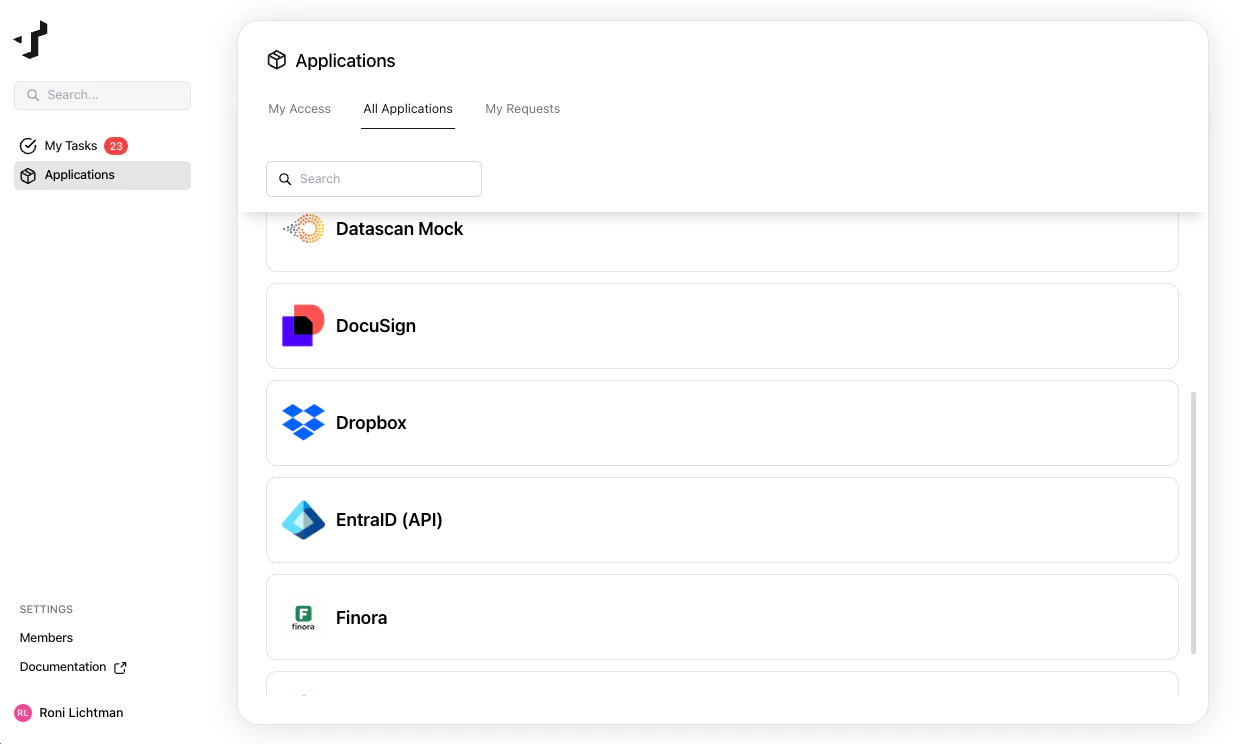
Go to the **Applications** page and select the **All Applications** tab to browse available applications.
 ## Submit a request
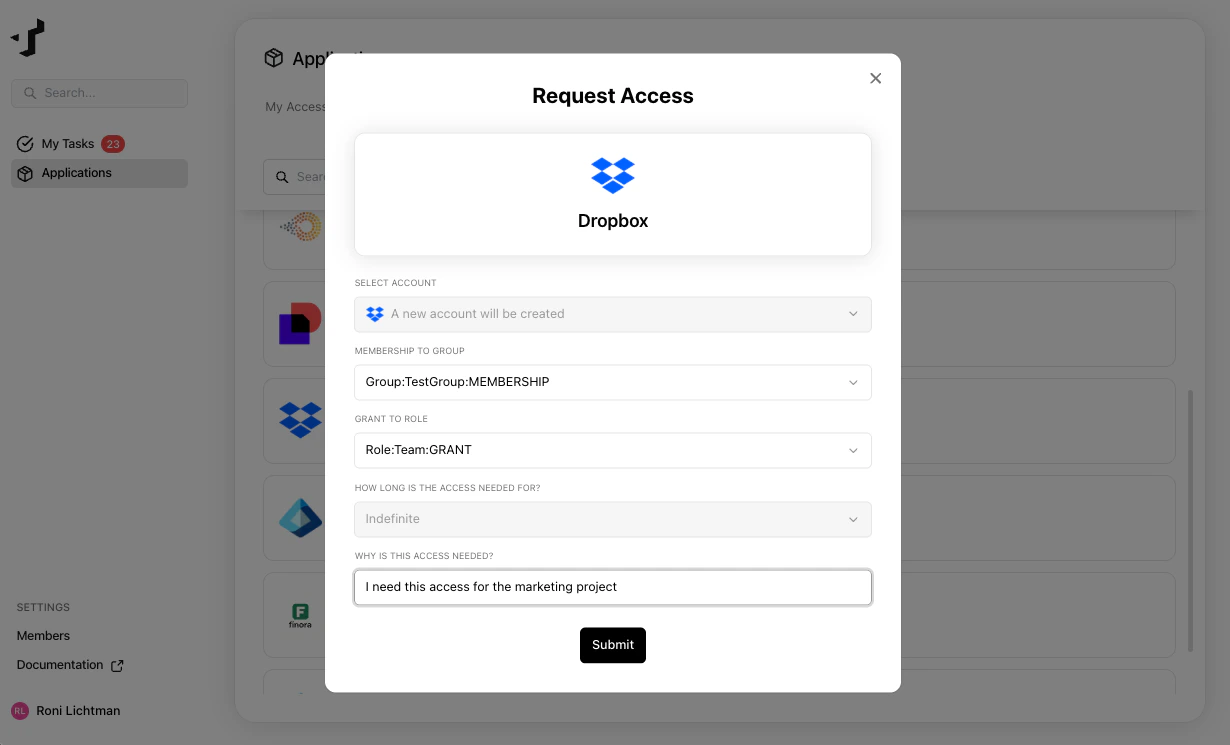
Select the application you need access to. You can request:
* **A new account** - if you don't have an account in the application yet
* **Additional entitlements** - if you already have an account and need more permissions
Choose the entitlements you need and provide a justification explaining why you need this access.
## Submit a request
Select the application you need access to. You can request:
* **A new account** - if you don't have an account in the application yet
* **Additional entitlements** - if you already have an account and need more permissions
Choose the entitlements you need and provide a justification explaining why you need this access.
 ## Track your request
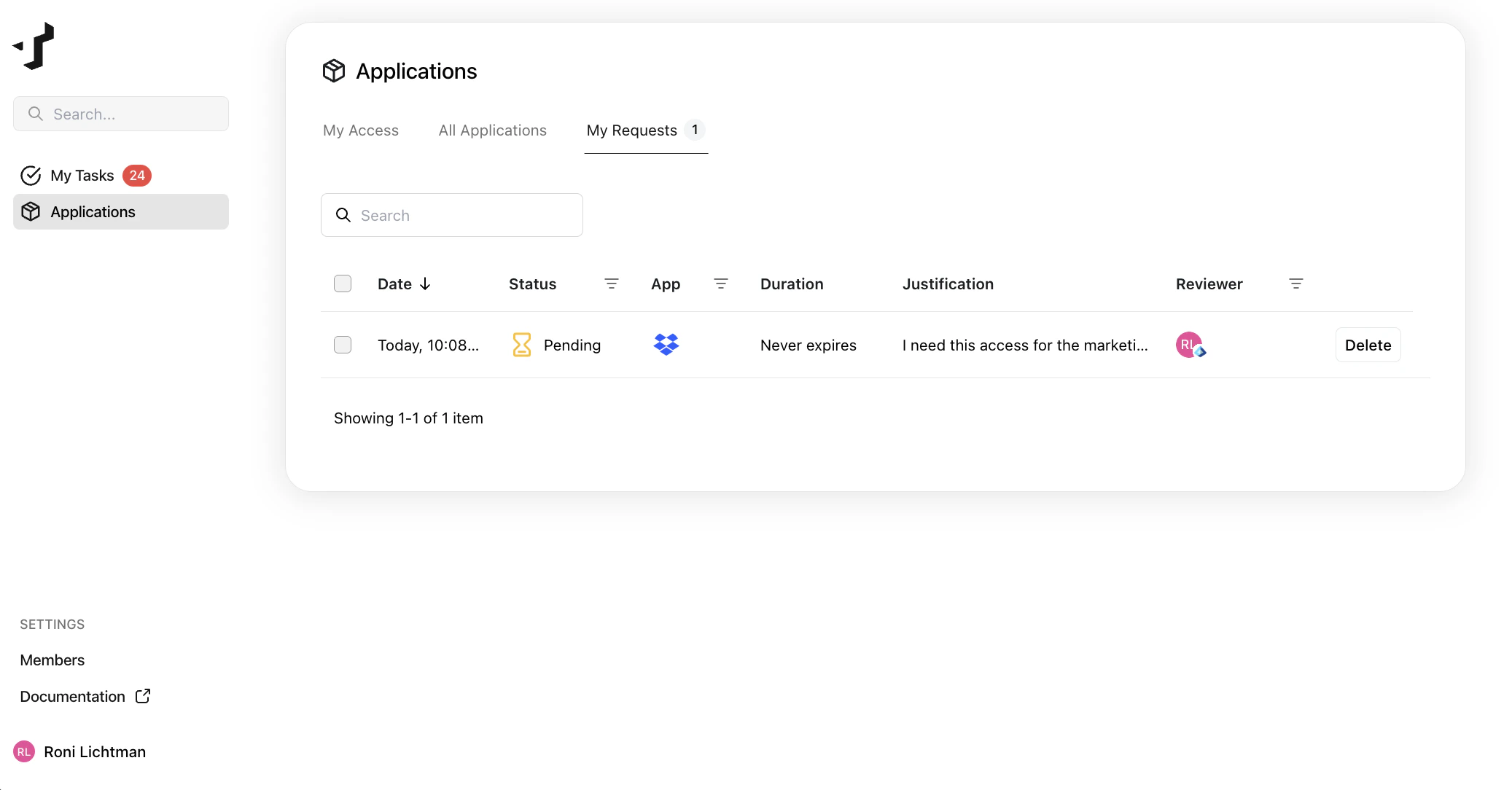
After submitting, you can follow the status of your request under **My Requests** on the Applications page.
Your request will go through one or more approval steps (for example, your manager or the application owner). You'll receive an email notification when your request is approved or denied.
## Track your request
After submitting, you can follow the status of your request under **My Requests** on the Applications page.
Your request will go through one or more approval steps (for example, your manager or the application owner). You'll receive an email notification when your request is approved or denied.
 ## Discuss with approvers
If an approver has questions, they can leave a comment on the request. You'll be notified and can reply in the comment thread directly on the request.
## Discuss with approvers
If an approver has questions, they can leave a comment on the request. You'll be notified and can reply in the comment thread directly on the request.